
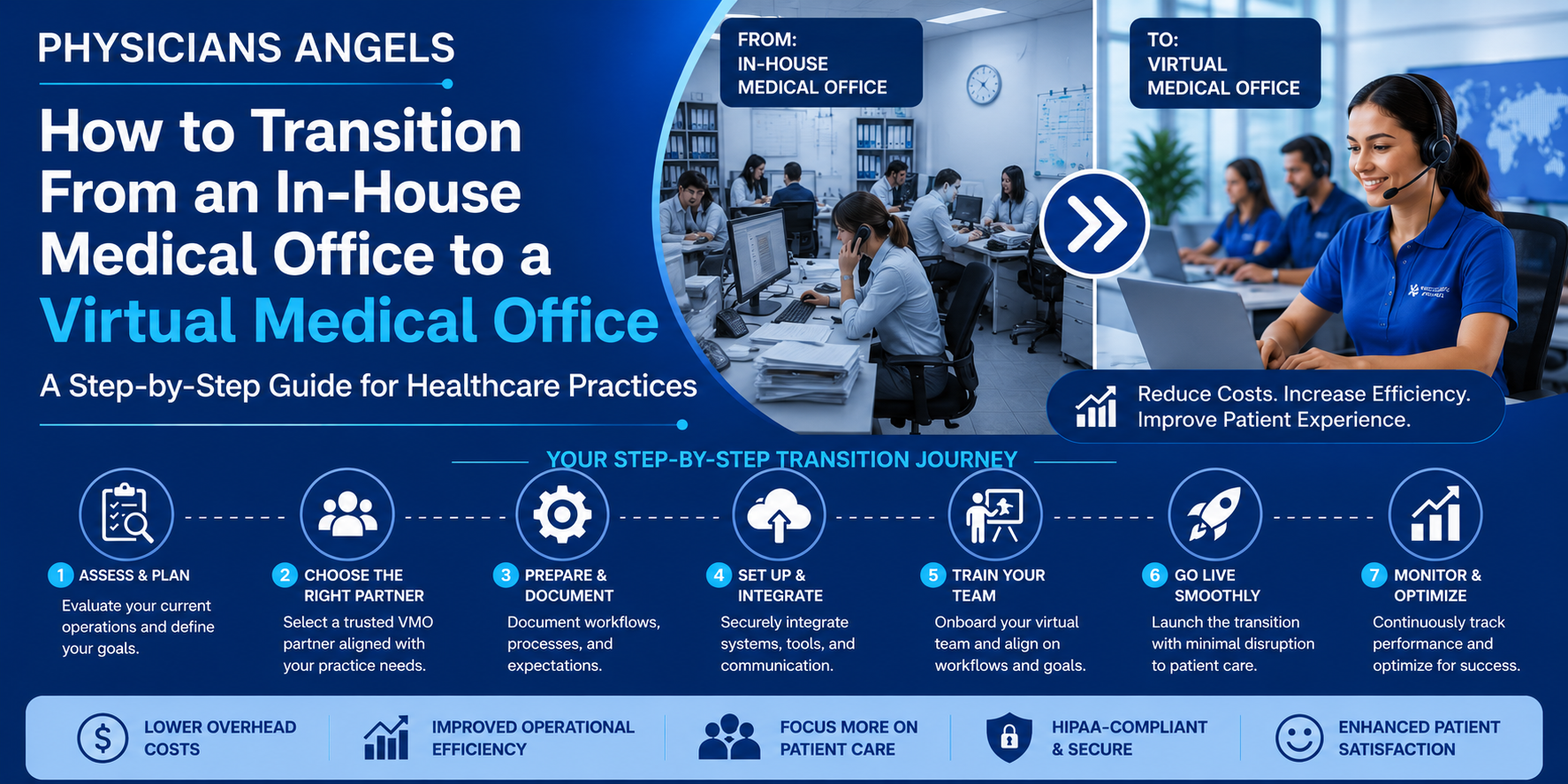
How to Transition From an In-House Medical Office to a Virtual Medical Office: A Step-by-Step Guide for Healthcare Practices
Introduction
Healthcare practices today face increasing administrative demands, rising labor costs, staffing shortages, and growing patient expectations. While hiring additional in-house staff has traditionally been the solution, many practices are finding it difficult to recruit, train, and retain qualified administrative professionals.
As a result, more healthcare organizations are turning to Virtual Medical Office (VMO) solutions to streamline operations, reduce overhead, and improve patient service without compromising quality.
However, one question often holds practices back:
"How do we transition to a Virtual Medical Office without disrupting patient care or daily operations?"
The good news is that transitioning to a Virtual Medical Office doesn't have to be complicated. With careful planning and the right implementation partner, practices can adopt virtual administrative support gradually while maintaining continuity of care and operational efficiency.
This guide walks you through each stage of the transition process and highlights how Physicians Angels helps healthcare practices make the change smoothly and confidently.
Why Healthcare Practices Are Moving Toward Virtual Medical Offices
Administrative responsibilities have grown significantly in recent years. Front-office teams are expected to manage appointment scheduling, insurance verification, prior authorizations, patient communication, referrals, billing coordination, payment posting, and countless other tasks—all while delivering a positive patient experience.
At the same time, practices continue to face:
-
Healthcare staffing shortages
-
Rising employee salaries and benefits
-
High staff turnover
-
Physician burnout
-
Increasing regulatory requirements
-
Greater demand for operational efficiency
Virtual Medical Office services provide access to experienced remote professionals who can support these functions while helping practices remain flexible and scalable.
Step 1: Evaluate Your Current Administrative Workflows
The first step is understanding where your practice spends the most administrative time.
Review daily operations such as:
-
Appointment scheduling
-
Patient registration
-
Insurance verification
-
Prior authorizations
-
Referral coordination
-
Medical billing support
-
Payment posting
-
Patient communication
-
Medical records management
Identify repetitive, time-consuming tasks that could be performed remotely without affecting clinical care.
Step 2: Identify Operational Bottlenecks
Next, determine where inefficiencies exist.
Ask questions such as:
-
Are patient calls going unanswered?
-
Is scheduling creating appointment gaps?
-
Are insurance verification delays slowing check-in?
-
Are prior authorizations delaying treatment?
-
Is billing falling behind?
-
Are claims being denied because of administrative errors?
-
Is payment posting delayed?
-
Are physicians spending too much time on paperwork?
Documenting these challenges establishes clear goals for the transition.
Step 3: Define Your Transition Goals
Every healthcare practice has different priorities.
Examples include:
-
Reduce administrative costs
-
Improve patient satisfaction
-
Increase appointment capacity
-
Accelerate insurance verification
-
Improve revenue cycle performance
-
Reduce physician burnout
-
Support multi-location growth
-
Improve cash flow
Having measurable objectives helps evaluate the success of the implementation.
Step 4: Decide Which Functions to Transition First
A phased approach often minimizes disruption.
Common functions to outsource initially include:
-
Appointment scheduling
-
Insurance verification
-
Patient reminders
-
Referral management
-
Prior authorizations
-
Payment posting
As confidence grows, practices may expand support to include additional administrative services such as billing coordination or broader front-office operations.
Step 5: Select the Right Virtual Medical Office Partner
Choosing the right partner is one of the most important decisions in the transition.
Consider factors such as:
-
Healthcare-specific experience
-
Knowledge of medical terminology
-
HIPAA-conscious workflows
-
Secure communication practices
-
Scalability
-
Staff training
-
Transparent reporting
-
Quality assurance processes
-
Ability to support multiple specialties
The goal is to work with a partner that complements your existing team and aligns with your operational standards.
Step 6: Create a Detailed Transition Plan
Develop a structured implementation roadmap.
Your plan should define:
-
Timeline
-
Responsibilities
-
Communication channels
-
Escalation procedures
-
Workflow documentation
-
Training requirements
-
Performance metrics
-
Success milestones
A clear roadmap reduces uncertainty and keeps everyone aligned.
Step 7: Standardize Workflows and Documentation
Virtual teams perform best when processes are clearly documented.
Create standard operating procedures (SOPs) for:
-
Scheduling workflows
-
Insurance verification
-
Prior authorizations
-
Billing coordination
-
Patient communication
-
Referral processing
-
Escalation protocols
Consistency improves efficiency and minimizes errors.
Step 8: Train Your Virtual Team
Provide comprehensive onboarding that covers:
-
Practice policies
-
Scheduling preferences
-
Specialty-specific terminology
-
Communication expectations
-
Workflow procedures
-
Patient service standards
Well-trained virtual staff can integrate seamlessly into daily operations.
Step 9: Communicate With Your In-House Team
A Virtual Medical Office should complement—not replace—your existing workforce whenever possible.
Explain:
-
Why the transition is happening
-
Which responsibilities will shift
-
How workloads will improve
-
New collaboration processes
-
Expected benefits for staff and patients
Open communication helps reduce uncertainty and encourages teamwork.
Step 10: Launch in Phases
Avoid transitioning every administrative function at once.
A phased rollout allows practices to:
-
Test workflows
-
Gather feedback
-
Resolve issues quickly
-
Refine processes
-
Build confidence
Gradual implementation reduces operational risk.
Step 11: Monitor Performance Metrics
Track key performance indicators (KPIs), such as:
-
Call answer rate
-
Appointment scheduling accuracy
-
Insurance verification turnaround time
-
Prior authorization completion time
-
Billing turnaround
-
Payment posting accuracy
-
Claims denial rate
-
Accounts receivable aging
-
Patient satisfaction
-
Administrative turnaround time
These metrics help identify opportunities for continuous improvement.
Step 12: Optimize and Scale
Once the initial transition is successful, expand virtual support based on evolving practice needs.
Additional services may include:
-
Revenue cycle support
-
Medical billing coordination
-
Referral management
-
Patient outreach
-
Document management
-
Front-office administration
-
Back-office operations
This scalable approach allows practices to grow without proportionally increasing overhead.
Common Mistakes to Avoid During the Transition
Practices can improve outcomes by avoiding common pitfalls:
-
Attempting to transition all functions simultaneously
-
Failing to document workflows
-
Providing insufficient training
-
Setting unclear expectations
-
Neglecting communication with staff
-
Not monitoring performance metrics
-
Choosing a partner without healthcare expertise
-
Overlooking data security and compliance considerations
How Physicians Angels Supports a Smooth Transition
Physicians Angels helps healthcare organizations implement Virtual Medical Office services through a structured, collaborative approach.
Support includes:
-
Workflow assessment
-
Administrative process optimization
-
Appointment scheduling
-
Insurance verification
-
Prior authorizations
-
Patient communication
-
Medical billing support
-
Payment posting
-
Revenue cycle assistance
-
Ongoing quality monitoring
Our experienced virtual teams work alongside your existing staff, helping your practice maintain continuity while improving operational efficiency.
Benefits You'll Notice After Transitioning
Many practices experience improvements such as:
-
Reduced administrative burden
-
Greater operational flexibility
-
Improved patient responsiveness
-
Faster insurance verification
-
More efficient scheduling
-
Stronger revenue cycle performance
-
Better cash flow
-
Increased physician productivity
-
Enhanced scalability
-
Improved patient experience
The exact results vary depending on each practice's workflows, staffing model, and implementation approach.
Frequently Asked Questions
How long does it take to transition to a Virtual Medical Office?
The timeline depends on the size of the practice, the services being transitioned, and workflow complexity. Many practices begin with a phased implementation that allows gradual adoption while maintaining daily operations.
Will patients notice the transition?
When implemented thoughtfully, patients typically continue to receive consistent scheduling, communication, and administrative support. Many practices report improved responsiveness after introducing virtual teams.
Can I keep my existing administrative staff?
Yes. Many healthcare organizations use Virtual Medical Office services to complement their in-house teams, redistribute workloads, and support growth rather than replace existing employees.
Which services should be outsourced first?
Common starting points include appointment scheduling, insurance verification, patient reminders, referral management, and prior authorizations. Additional services can be added as the practice becomes comfortable with the new workflows.
Is a Virtual Medical Office suitable for specialty practices?
Yes. Specialty practices such as cardiology, gastroenterology, OB-GYN, dermatology, orthopedics, endocrinology, behavioral health, and others can benefit from tailored virtual administrative support.
Ready to Transition With Confidence?
Moving from a traditional in-house administrative model to a Virtual Medical Office is a strategic investment in your practice's future. By taking a phased, well-planned approach, healthcare organizations can reduce operational strain, improve patient service, and create a more scalable foundation for growth.
Physicians Angels partners with healthcare practices to simplify every stage of the transition—from evaluating current workflows to implementing virtual administrative support and optimizing long-term performance. Whether your goal is to improve efficiency, reduce overhead, or prepare for expansion, our experienced virtual teams are here to help.
Ready to Modernize Your Medical Office?
Transitioning to a Virtual Medical Office doesn't have to be overwhelming. Physicians Angels works closely with healthcare practices to create a customized implementation plan that fits your workflows, minimizes disruption, and supports long-term success.
Schedule a free consultation today to discuss your current operations and discover how our Virtual Medical Office solutions can help your practice improve efficiency, enhance patient service, and scale with confidence. Together, we can build a smarter, more agile administrative model for your healthcare organization.
📧 Email: contact@physiciansangels.com
📞 Call: (419)-318-4471
🌐 Visit: www.physiciansangels.com